Suspend Account
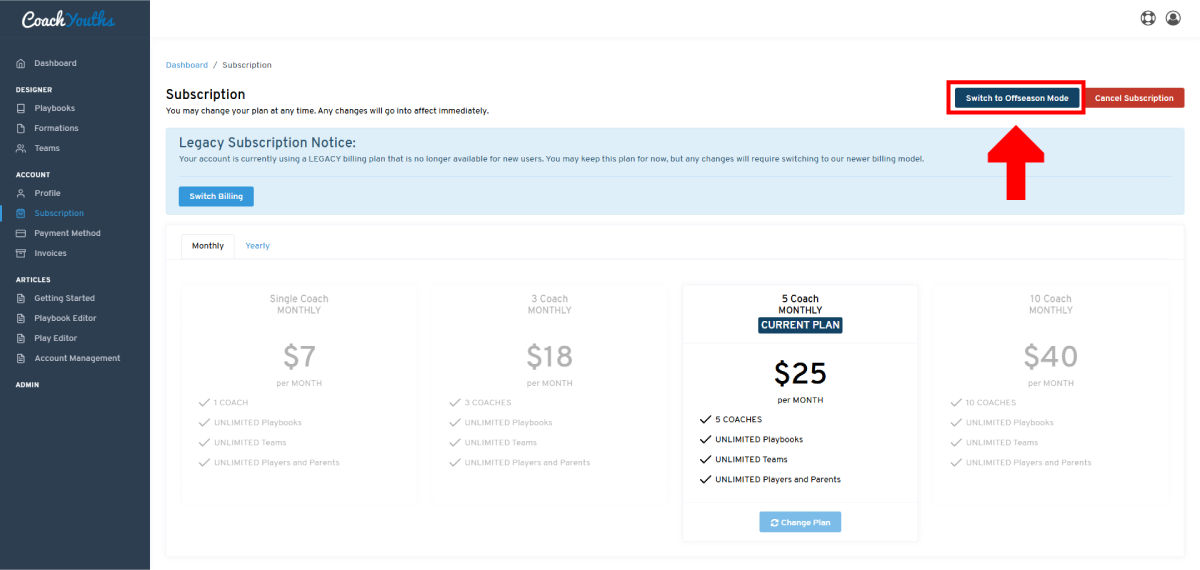
If you wish to suspend your CoachYouths account we offer a "Offseason Mode" billing mode that will allow you to greatly lower your costs for 6 months at a time.
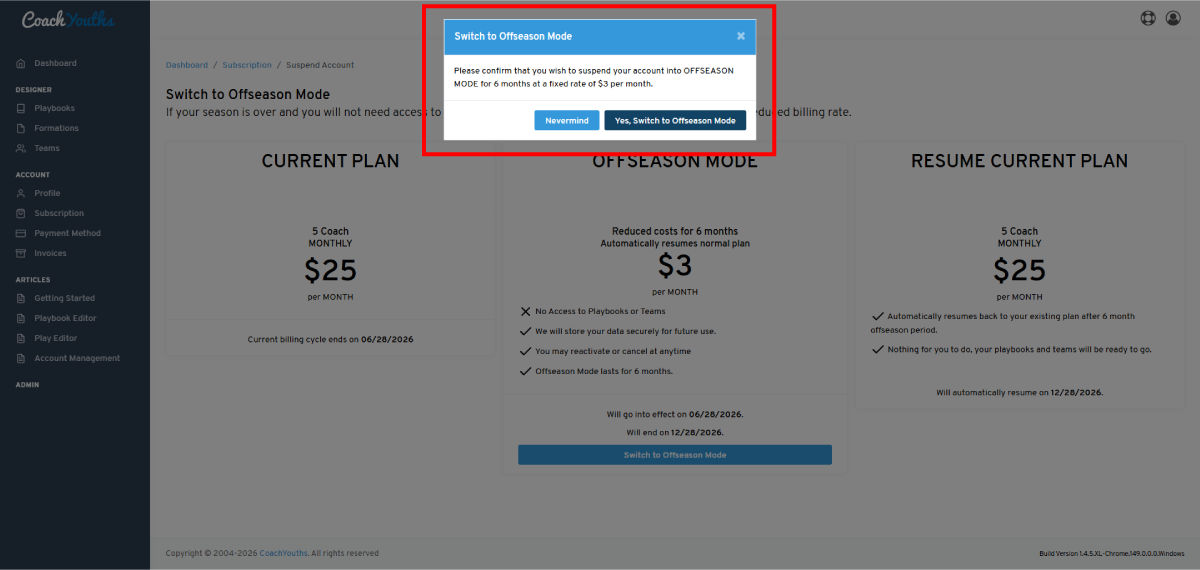
Our OFFSEASON MODE allows you to reduce your monthly cost down to $3 a month regardless of which billing plan you are on. This reduction lasts for 6 months at a time and automatically switches back to your current billing plan.
This option allows you to save money while keeping your account in good standing and your playbook data saved during the offseason.
If you need access to your playbooks during the OFFSEASON MODE you may login at any time and exit off season mode.
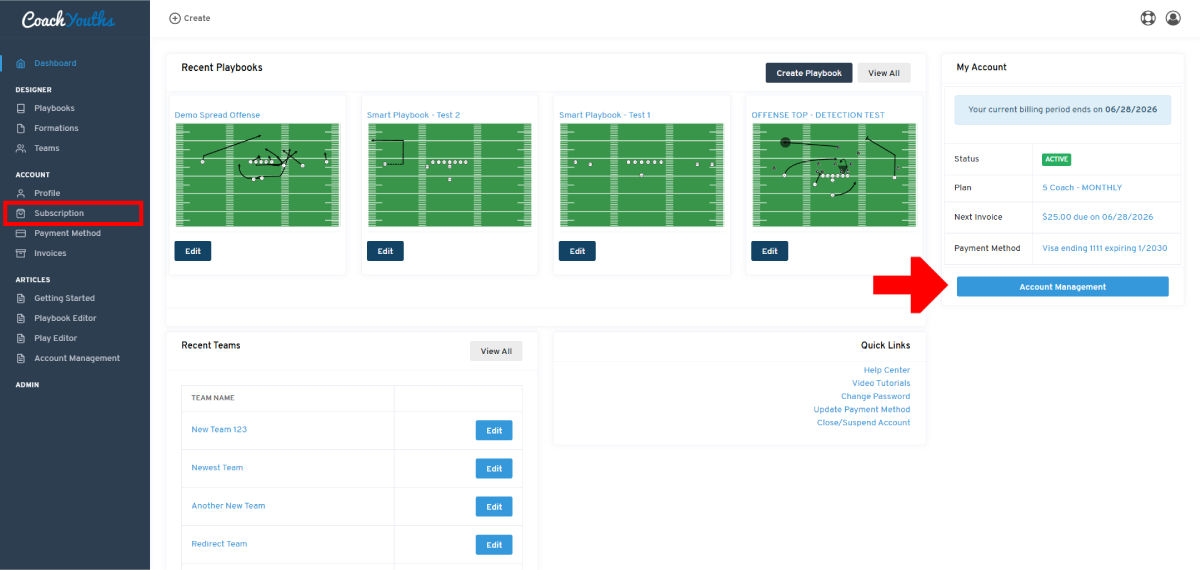
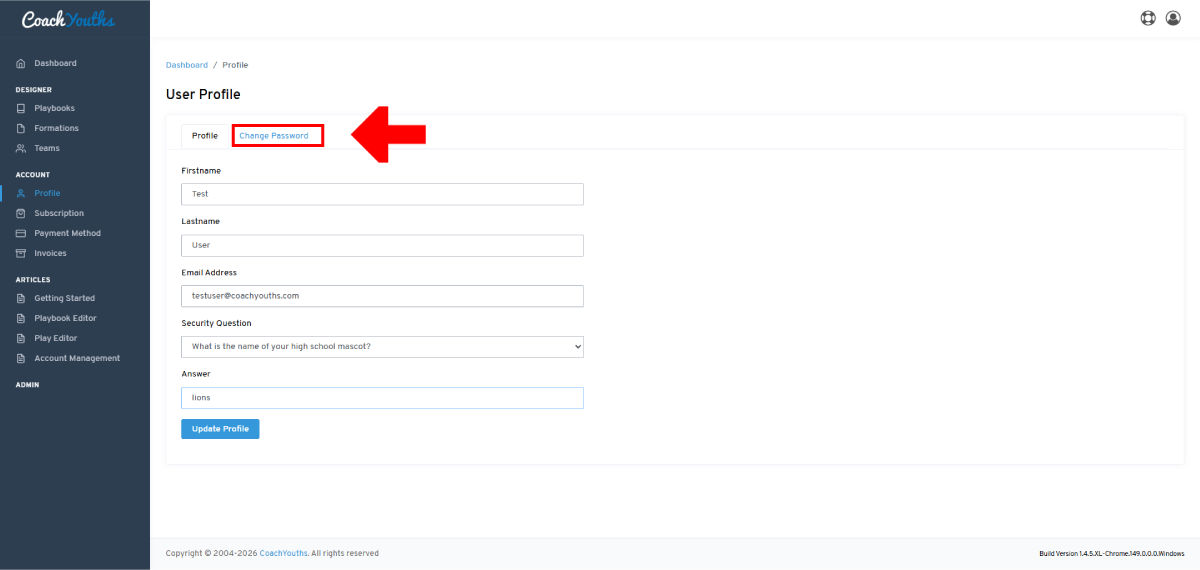
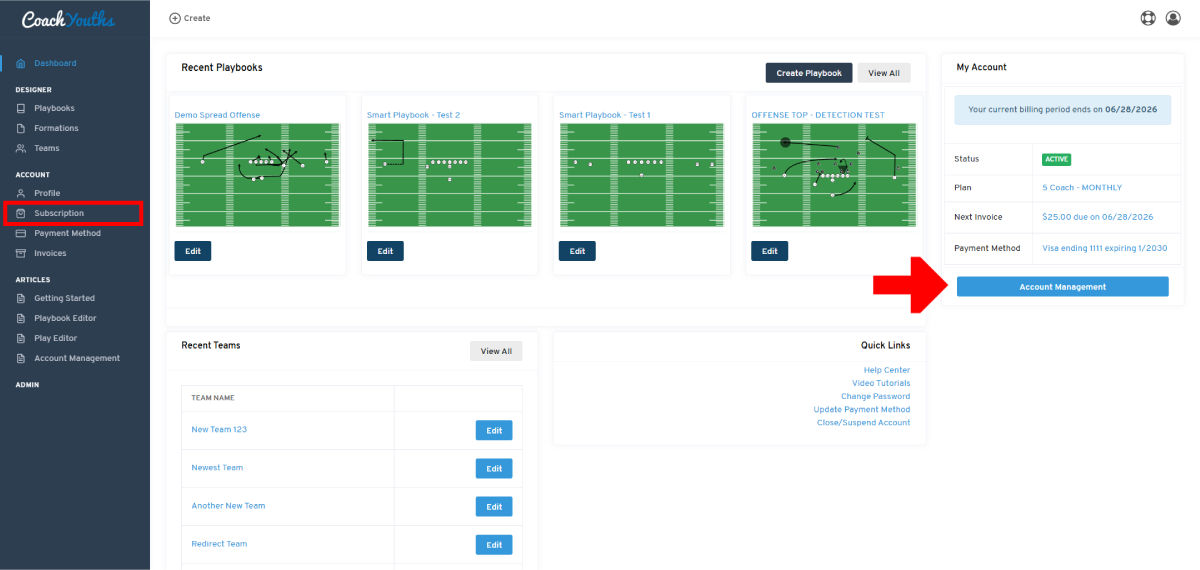
Suspend Account: Step 1 - Go to Account Management
Suspend Account: Step 2 - Switch to Offseason Mode
Suspend Account: Step 3 - Review Changes
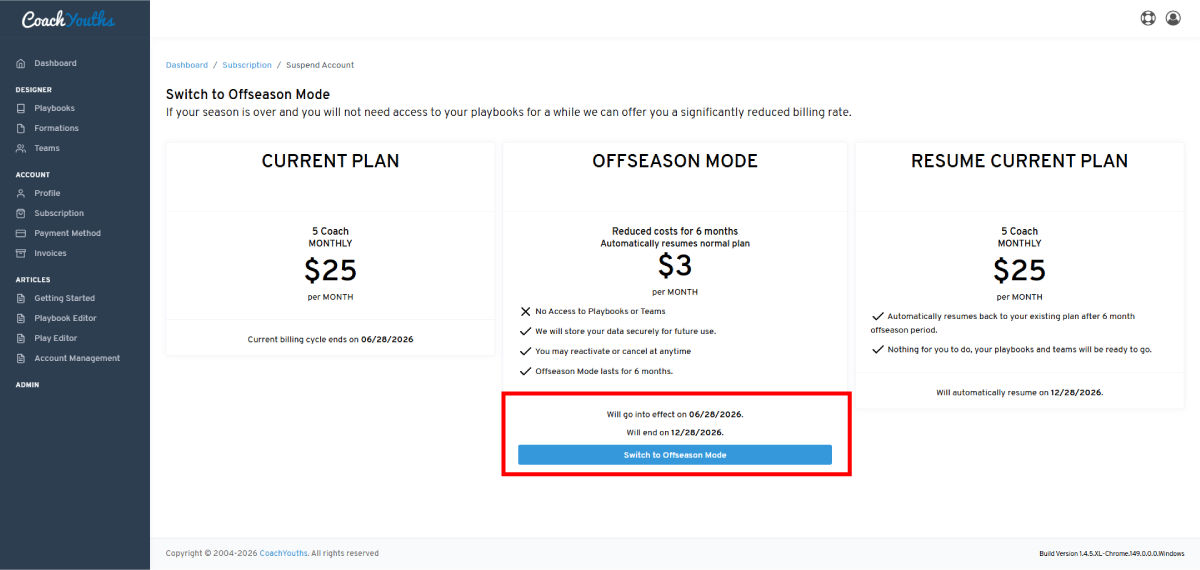
Suspend Account: Step 4 - Confirm Changes
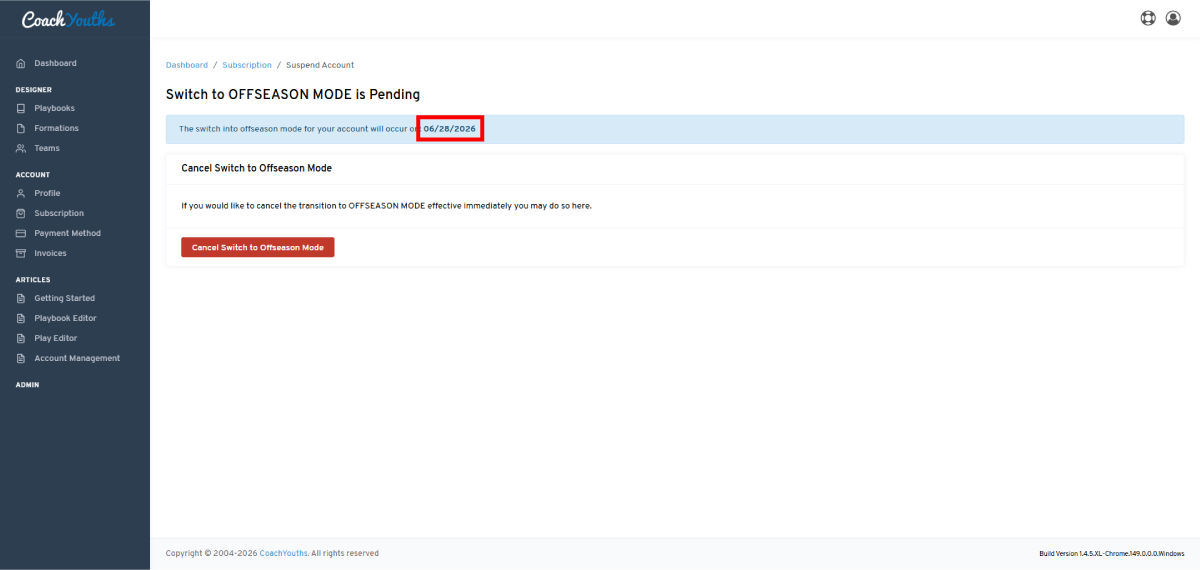
Suspend Account: Completed
Related Articles
Published by CoachYouths Staff on 06/25/2026
You are NOT currently logged in, you may login or signup for FREE at any time: