Copy A Preset Formation
You can create copies of any of our built-in PRESET formations and customize them to fit your specific needs, this can save you time by avoiding starting from scratch.
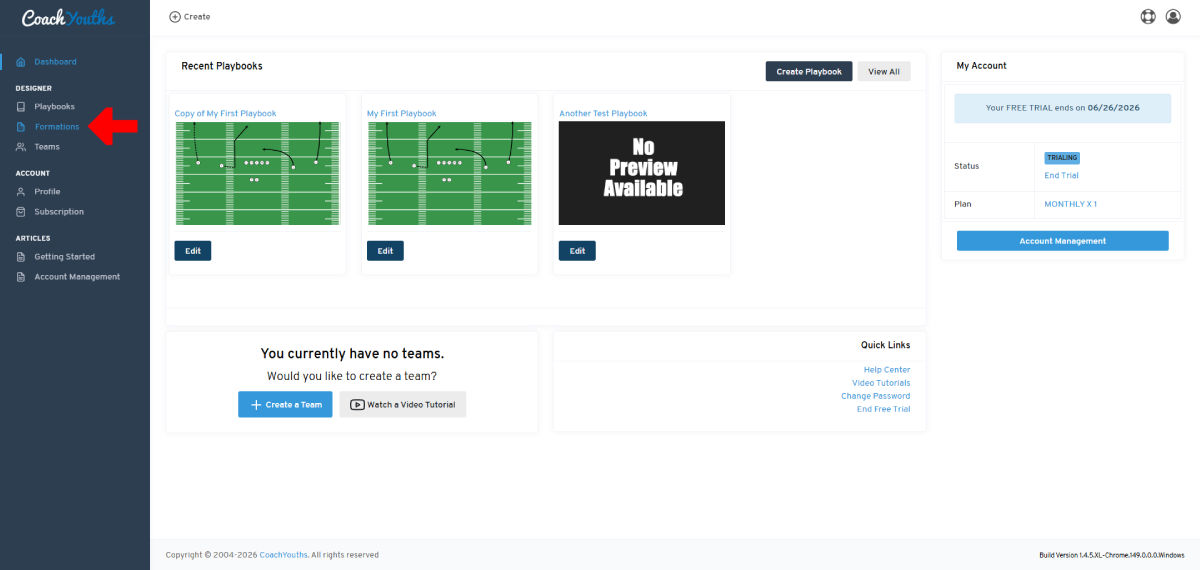
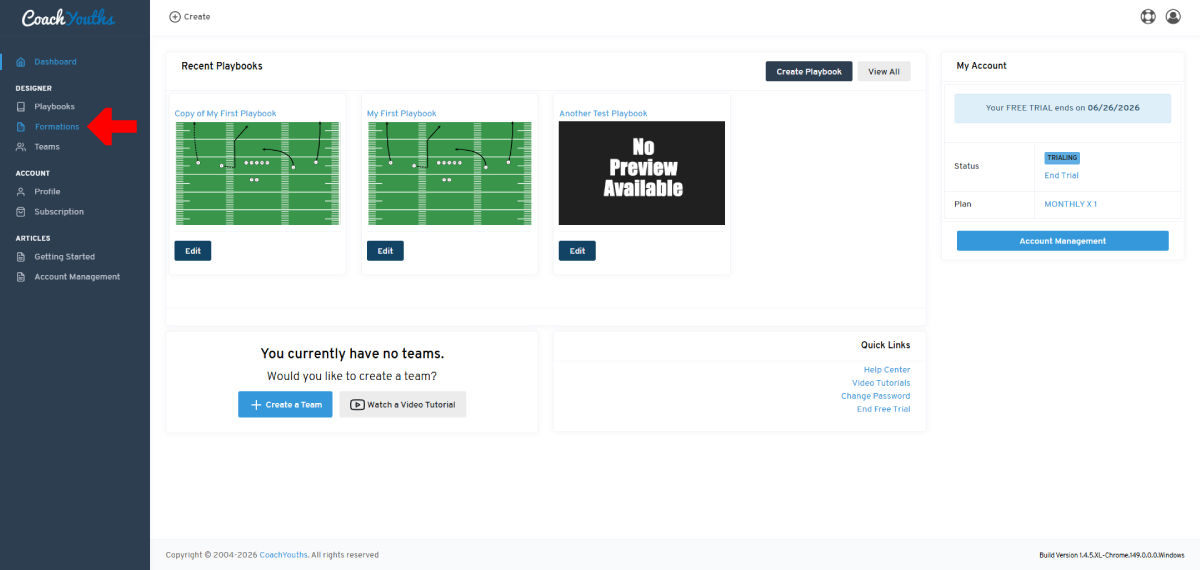
Step 1 - Go to Formations Page
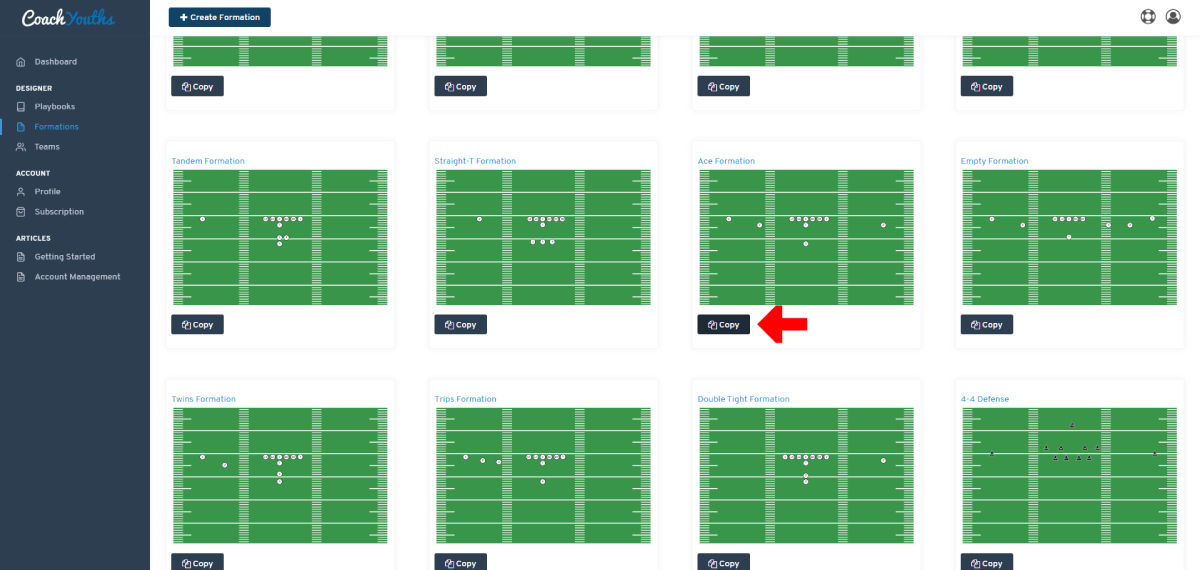
Step 2 - Click on "COPY" Button
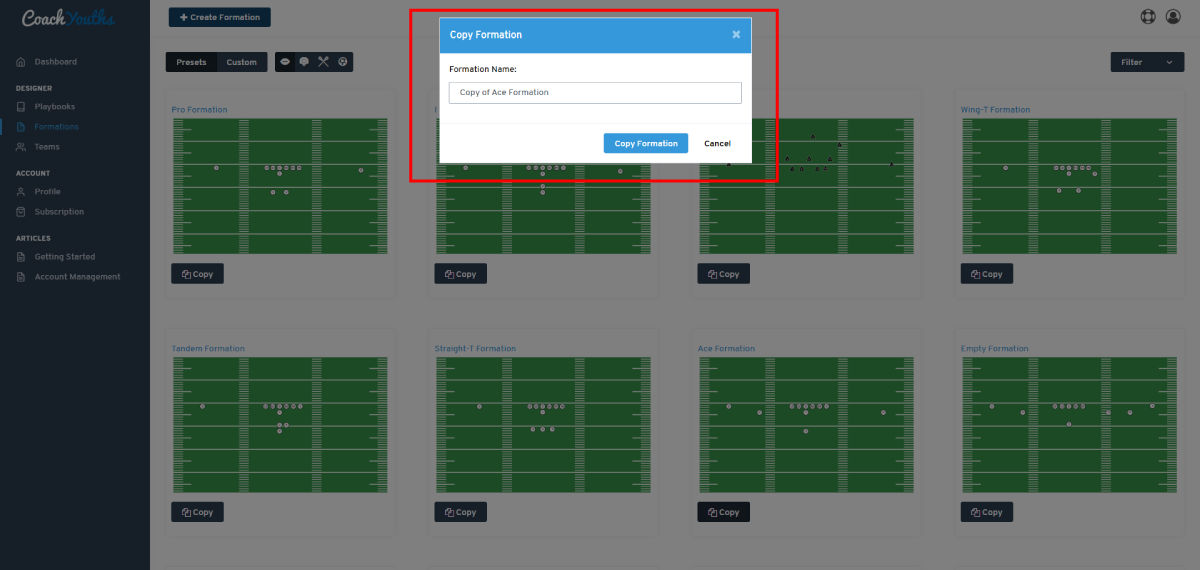
Step 3 - Provide a Name for New Formation
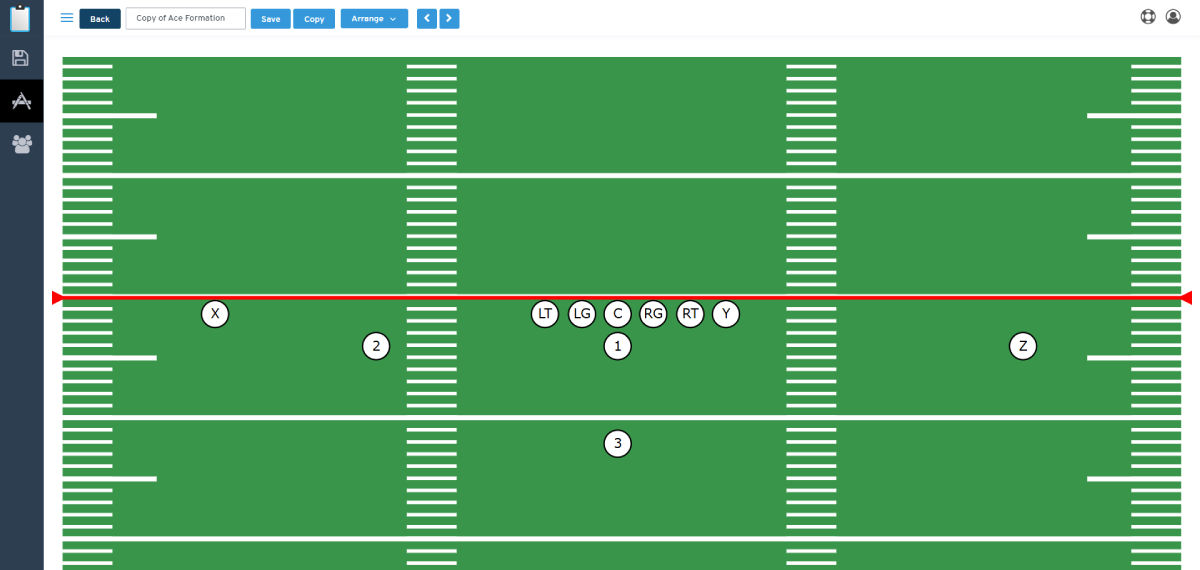
Step 4 - Edit Newly Copied Formation
Published by CoachYouths Staff on 06/22/2026
You are NOT currently logged in, you may login or signup for FREE at any time: